Backupkrake

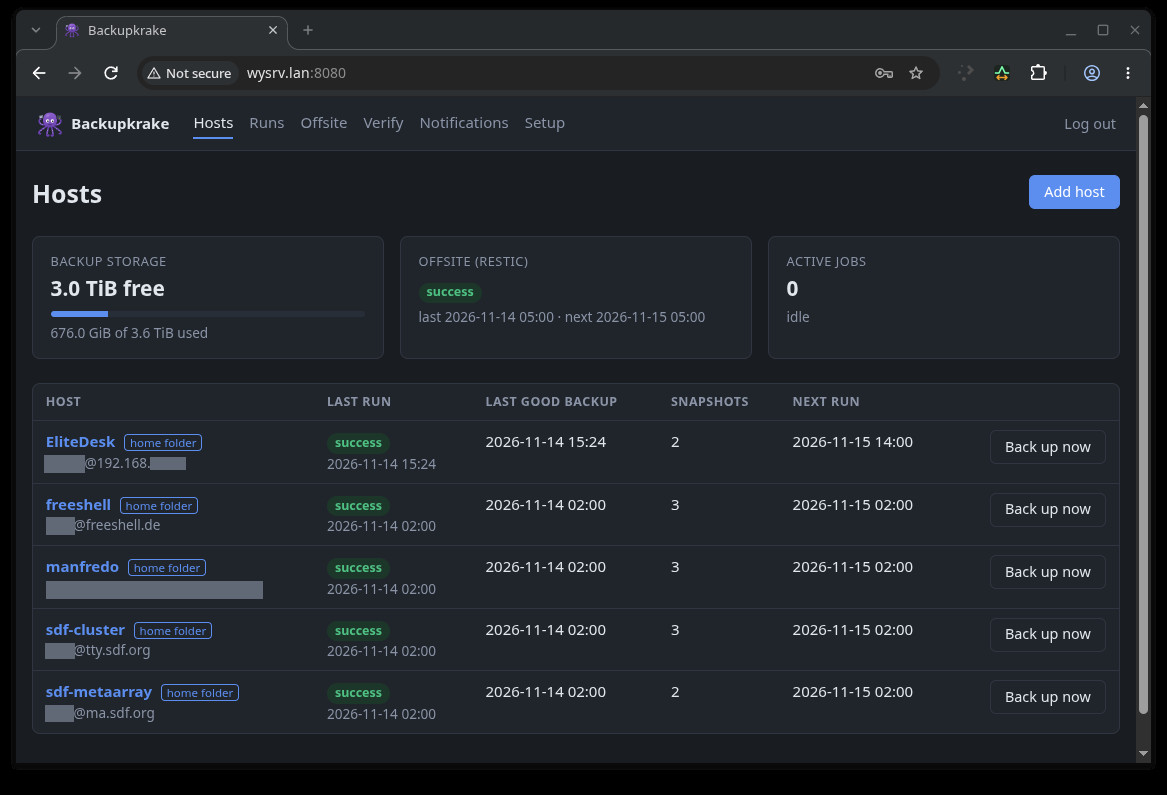
Backupkrake is a central, pull-based backup server for Linux and Unix hosts, with a web interface. It runs as
a single Docker container. Each night it connects to your machines over SSH, copies their files with
rsync into browsable, hard-linked snapshots, and optionally uploads an encrypted copy offsite with restic.
Use at your own risk
Backupkrake comes without any warranty. Test it, and test your restores, before you rely on it.
What's in the name?
Krake is German for octopus (and the root of the sea monster Kraken). Backupkrake is a backup octopus. It reaches out with many arms to all your machines, pulls their data in and keeps it safe in its den, with a copy hidden away offsite. The clients don't have to do anything; the octopus does the grabbing.
How it works
               ┌──────── Backupkrake (Docker) ────────┐
  web1   ◄─ssh─┤ rsync pull ─► /data/hosts/web1/…     │
  nas    ◄─ssh─┤               /data/hosts/nas/…      ├─restic─► S3, SFTP,
  laptop ◄─ssh─┤ scheduler · web UI · notifications   │          USB disk
               └──────────────────────────────────────┘
- Pull, not push. The server holds the SSH keys and starts every backup. Clients run no agent and
need nothing but
rsyncand one line inauthorized_keys. A compromised client can't reach the server or delete its backups. - Read-only by default. The backup key is locked to
rrsync -ro: it can read files via rsync and nothing else. Restores use a second key that can only write. - Plain directories. Every snapshot is a complete directory tree on the server's disk, laid out as on
the client. Unchanged files are hard links to the previous snapshot, so a new snapshot only costs the
space of what changed. You can read your backups with
lsandcp, without Backupkrake. - Offsite with restic. The latest snapshot of each host goes to one or more encrypted, deduplicated restic repositories: S3, B2, SFTP (e.g. a Hetzner Storage Box), a rest-server, or a USB disk.
Features at a glance
| Area | What you get |
|---|---|
| Hosts | Whole systems as root, or just your home folder on machines where you aren't root |
| Scheduling | Cron schedules, backup windows (e.g. 22:00-06:00), bandwidth limits, retries for laptops that are switched off |
| Consistency | Pre/post commands with presets for PostgreSQL, MySQL/MariaDB, SQLite and Docker |
| Retention | Last N plus daily/weekly/monthly snapshots; pinned snapshots with notes |
| Restoring | Browse and download, search a file across all snapshots, push-restore with a dry-run preview |
| Offsite | Multiple restic targets, each with its own hosts, schedule, window and retention |
| Verification | Plausibility check after every backup, content check against the client, offsite restore test |
| Monitoring | ntfy and Pushover notifications, overdue alerts, disk-space forecast, heartbeat for the server itself |
Where to start
- Install the container.
- Add your first host and run a backup.
- Configure schedules, windows and retention.
- Set up notifications so you hear about failures.
- Add an offsite copy and schedule a restore test.
- Read Operations before you need it, especially disaster recovery.
Getting help
Bugs and questions go to the issue tracker. Please include the run log (the run's page shows it) and your Backupkrake version (the image tag).